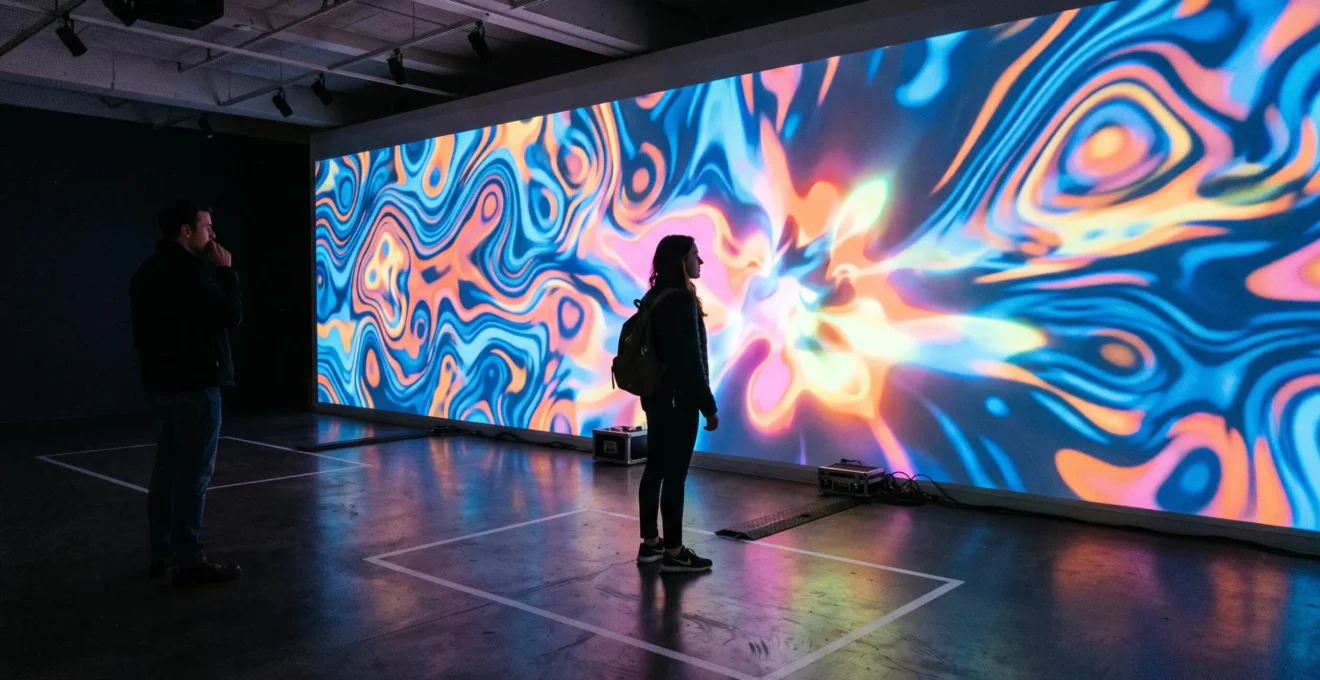
Interactive digital artwork transforms visitors from spectators into participants. Instead of presenting a fixed image or animation, a responsive artwork uses physical actions, environmental signals or digital inputs to influence what appears on screen, how sound develops or how an installation behaves. The challenge is not simply detecting movement or touch: it is creating a meaningful relationship between an audience action and the resulting artistic response.
A successful project begins with three connected decisions: what visitors can do, how the system detects those actions, and what response communicates that their participation matters. Microcontrollers, capacitive touch sensors, motion tracking and programmed visual effects can all support this process, but their suitability depends on the exhibition environment and the intended experience.
For digital artists, the strongest approach combines creative intention with practical engineering. Interaction should feel immediate without becoming mechanical, remain understandable without instructions, and continue functioning when several people participate simultaneously. Planning these elements early makes the difference between an interesting technical demonstration and an artwork that genuinely engages an audience.
Building responsive digital artwork: the essentials
- Design the visitor journey and interaction logic before choosing sensors or programming hardware.
- Test the complete response pipeline, from sensor detection to visual output, to identify latency and reliability problems.
- Combine intuitive interaction cues, inclusive controls and multi-user testing to make the installation accessible and exhibition-ready.
- 15: How to Design Digital Art Installations for Exhibition Spaces?
- 28.1: Why Does Delayed Feedback Make Interactive Art Feel Unresponsive?
- 28.2: How to Create Touch-Activated Visual Art With a Microcontroller?
- 28.3: Touch Sensors or Motion Tracking for a Hands-Free Art Experience?
- 28.4: Why Multiple Users Can Disrupt a Sensor-Based Digital Artwork
- 28.5: How to Make Digital Artwork Controls Intuitive Without Instructions?
- 16.2: How to Set Up Simple Keyboard Navigation in a Virtual Exhibition?
- 38.1: Why Does Freehand Drawing Improve Visual Judgement?
15: How to Design Digital Art Installations for Exhibition Spaces?
Designing a digital art installation for an exhibition space requires planning the visitor journey before selecting the technology. The installation should establish where visitors encounter the artwork, where interaction happens, how the system responds and how participants leave the experience. This approach connects artistic intentions to practical decisions about sensor placement, projection, power, accessibility and visitor circulation.
A useful starting point is a four-stage interaction framework:
- Entry point: Identify where visitors first encounter the artwork and what attracts their attention.
- Trigger zone: Determine where a visitor must stand, move, touch or otherwise interact with the installation.
- Response: Define the visual, spatial or audio transformation generated by the detected action.
- Exit: Consider how the interaction concludes and how another visitor can begin without disrupting the previous experience.
This framework should be translated into a site plan. However, a floor plan alone cannot establish where visitors will actually interact. A designated sensor area might be technically convenient but poorly positioned relative to natural circulation patterns. During a site walkthrough, observe where people stop, how long they remain in particular areas and whether groups tend to gather in front of the artwork.
These observations help identify practical sensing locations. For example, a motion-tracking camera should have a sufficiently unobstructed view of the intended interaction area. A touch-sensitive panel should be positioned at a comfortable and reachable height, while projection surfaces need suitable viewing distances and clear sightlines.
Gallery conditions also influence technical reliability. Ambient light can reduce the contrast of projected images or interfere with camera-based detection. Background noise may affect audio-triggered interactions. Cable routes, electrical access and equipment placement must be considered before installation rather than improvised during opening preparations.
The Smithsonian American Art Museum installation planning resource provides an institutional reference for anticipating the resources required to exhibit an artwork. Its stated purpose supports treating installation planning as an explicit part of preparing time-based and digital artworks, although it should not be mistaken for a detailed sensor-calibration checklist.
Another important distinction concerns fixed installations and touring works. A permanent installation can be calibrated around a relatively stable environment. A touring installation must accommodate different room dimensions, lighting conditions, projection distances and visitor circulation patterns.
Portable designs benefit from modular sensing components, adjustable thresholds and documented recalibration procedures. Separating the sensing system from the visual output also makes it easier to replace equipment without rebuilding the entire artwork.
Before finalising the design, document the interaction journey and the environmental conditions that could affect it. This creates a practical reference for later testing, particularly when investigating latency or simultaneous visitor interactions.
Once the physical experience is mapped, the next challenge is ensuring that the artwork reacts at a pace visitors perceive as responsive. That requires examining the complete feedback pipeline.
28.1: Why Does Delayed Feedback Make Interactive Art Feel Unresponsive?
Delayed feedback makes interactive art feel unresponsive because visitors expect a visible or audible confirmation that the system has detected their actions. When the response takes too long, the relationship between cause and effect becomes difficult to understand. Jakob Nielsen‘s historical usability guidelines identify approximately 0.1 seconds as a reference for instantaneous-feeling responses, but this is a general interface benchmark rather than a universal performance requirement for artistic installations.
Latency can originate from three main stages of an interactive artwork’s technical architecture:
- Sensor sampling: The hardware periodically reads an input. If the sampling interval is too long, a visitor’s action may not be detected immediately.
- Signal processing: Software interprets the sensor data, filters noise and decides whether an interaction has occurred. Complex calculations can introduce additional delay.
- Output rendering: The system updates the display, projection, lighting or sound. Rendering workloads and communication between devices can increase the time before visitors perceive the response.
These delays can accumulate. A responsive sensor does not guarantee a responsive artwork if the software processes its input slowly or the visual output takes too long to refresh.
The Nielsen Norman Group‘s response-time guidelines distinguish approximately 0.1 seconds for instantaneous-feeling feedback, approximately one second for maintaining an uninterrupted flow of thought, and approximately ten seconds as a point beyond which maintaining attention becomes more difficult. These historical guidelines provide useful design references, not experimentally established latency limits for sensor-driven art.
Approximately 0.1 seconds
Jakob Nielsen’s historical usability benchmark for a response to feel instantaneous. It is a general interface reference, not a mandatory threshold for every interactive artwork.
Nielsen Norman Group, Response Times: The 3 Important Limits.
A practical diagnosis requires isolating each stage instead of changing several components simultaneously. First, trigger the sensor and record when its input becomes available to the software. Next, bypass the main processing logic and send a simplified signal directly to the output. Finally, activate the output independently to establish how quickly the display or lighting system reacts.
Comparing these tests helps identify whether the delay originates in detection, processing or rendering. Recording timestamps at each stage can make the diagnosis more precise.
When some processing cannot be accelerated, perceptual compensation can improve the experience. A subtle glow, short sound cue or small animation can acknowledge the visitor’s action immediately. The complete visual transformation can then follow once heavier calculations finish.
However, the fastest possible response is not necessarily the most expressive one. An instantaneous, literal change may resemble a mechanical switch rather than a living artistic system. A deliberately shaped animation curve or gradual transition can communicate organic behaviour while preserving a clear connection between action and response.
Artists should therefore distinguish technical latency from intentional artistic timing. Unexplained waiting creates uncertainty; deliberate transitions communicate an aesthetic decision.
Once the response architecture is understood, a microcontroller provides a practical way to prototype touch-sensitive visual interactions with relatively simple electronic components.
28.2: How to Create Touch-Activated Visual Art With a Microcontroller?
Touch-activated digital artwork can be created using a microcontroller that reads a physical input, evaluates whether a touch has occurred and triggers a visual output. A basic prototype needs a touch sensor, a programmable board, simple input-processing logic and an output such as addressable LEDs or a small display. The key is to keep these components modular so the artist can experiment with materials and visual behaviour independently.
A typical architecture follows this sequence:
- Input: A capacitive or resistive sensor detects contact with a surface.
- Controller: The microcontroller reads the sensor signal and evaluates its state.
- Processing: Threshold logic and debouncing distinguish intentional interactions from noise.
- Output: LEDs, NeoPixels or a display change colour, brightness or visual state.
Capacitive sensing is particularly interesting for artists because it can transform ordinary materials into interactive surfaces. Conductive foil positioned behind a canvas, conductive paint or a metal object can become part of a touch-sensitive interface, provided the electronics support the chosen sensing configuration.
When someone touches the conductive surface, the sensor detects a change in electrical capacitance. The controller interprets that change as an input and triggers a programmed response.
Adafruit’s CircuitPython capacitive-touch tutorial demonstrates this principle using Circuit Playground boards. Its examples show how capacitive-touch pads can be connected to external objects using alligator clips and how detected touches can trigger changes in NeoPixel colours.
The tutorial provides a practical starting point for understanding the relationship between physical touch and programmable lighting. Its hardware-specific examples should not, however, be treated as universal calibration instructions for every microcontroller or conductive material.
Material choice affects sensitivity. The size of the conductive surface, its connection to the controller, wire length and grounding arrangement can influence how reliably the system detects touch. Artists should test the actual materials intended for the final installation rather than assume that a successful bench prototype will behave identically once embedded in a large artwork.
Several additional safeguards improve reliability:
- Threshold calibration: Establish a baseline reading and select a trigger threshold appropriate to the installed material.
- Debouncing: Prevent rapid fluctuations from generating repeated visual triggers.
- Startup checks: Initialise sensor readings before accepting visitor interactions.
- Fallback behaviour: Preserve a basic visual state if sensing becomes unreliable.
- Independent zones: Use separate sensing regions when several visitors may interact with different parts of the artwork.
Environmental conditions, including humidity and temperature, can affect capacitive measurements. Changes in grounding, installation geometry and the visitor’s physical contact can also alter sensor behaviour. Periodic recalibration and monitoring are therefore useful considerations for exhibition prototypes, although their exact implementation depends on the selected hardware.
For a gallery installation, the prototype should also be designed with future interaction scenarios in mind. A single touch zone might be sufficient for an initial demonstration but unsuitable for an artwork intended to respond to several visitors or to support hands-free interaction.
Five actions to build and validate a touch-reactive prototype
- Choose the conductive material and sensing hardware. Deliverable: a documented component and material list.
- Connect the sensor to the microcontroller and confirm that touch produces a detectable input. Deliverable: a working input test.
- Connect an LED strip or display and program a visible response. Deliverable: a functioning input-to-output prototype.
- Test different touch conditions and adjust the threshold and debounce logic. Deliverable: a calibration record with observed readings.
- Test repeated interactions and simulated sensor interruptions. Deliverable: a reliability report documenting normal behaviour and fallback responses.
Touch is only one possible interaction method. When visitors should engage without physical contact, motion tracking and alternative sensing technologies offer different creative and practical possibilities.
28.3: Touch Sensors or Motion Tracking for a Hands-Free Art Experience?
Touch sensors and motion tracking create different relationships between visitors and interactive artwork. Touch sensors respond to direct physical contact, while motion tracking detects movement without requiring visitors to touch the installation. The better option depends on the desired interaction, exhibition conditions, accessibility requirements, privacy expectations and technical maintenance capacity.
Touch creates an intimate relationship between the visitor and the artwork. A person can place a hand on a conductive surface and see an immediate change in colour or texture. This direct physical relationship can make an installation feel tangible and approachable.
Motion tracking creates a different expressive vocabulary. Visitors can move through a space, raise their arms, approach a projection or change their position to influence the visual environment. The artwork becomes responsive to choreography and spatial relationships rather than contact alone.
The following comparison highlights the main design considerations.
| Criterion | Touch sensors | Motion tracking |
|---|---|---|
| Physical contact | Requires contact with a designated surface or object. | Can operate without contact. |
| Interaction range | Usually limited to the sensing surface or contact area. | Can cover a larger space, depending on the tracking hardware. |
| Ambient lighting | Generally does not depend on visual lighting conditions. | Camera-based systems may be affected by lighting and visual conditions. |
| Technical complexity | Often suitable for relatively simple electronics and input logic. | May require image processing, object detection or skeleton tracking. |
| Visitor experience | Encourages tactile exploration and direct contact. | Encourages gestures, movement and spatial exploration. |
| Maintenance | Requires attention to surface condition, electrical connections and sensor calibration. | Requires attention to camera positioning, tracking accuracy and software behaviour. |
| Privacy perception | Usually does not involve camera-based observation. | Some visitors may feel uncomfortable being observed by a tracking camera. |
There are also intermediate options. Proximity sensors can detect a visitor approaching a surface without requiring contact. Infrared beams can identify movement through a defined area, while pressure pads can detect someone standing in a particular location. These approaches can offer hands-free interaction without the software complexity of full computer vision.
Camera-based tracking becomes more useful when the artwork depends on detailed body movement, multiple spatial positions or more elaborate gestures. However, this choice transfers much of the technical challenge from electronics to software. Blob detection, skeleton tracking and depth-camera interpretation require additional testing and maintenance.
A practical decision should begin with the intended visitor behaviour rather than the availability of sophisticated hardware. If the concept requires visitors to touch a painted surface, motion tracking may add complexity without improving the artistic experience. If the artwork needs to respond to a visitor’s position across a large projection wall, a contact-based system may be too restrictive.
Visitor psychology also matters. Some people are comfortable touching an inviting object but hesitate when they notice a camera. Others may prefer non-contact interaction for hygiene, mobility or personal reasons. Providing alternative interaction methods can broaden participation.
Before committing to a tracking system, simulate the intended visitor choreography with a person standing in for an exhibition visitor. Observe whether the system detects the relevant movements reliably from different positions and distances. Repeat the test under lighting conditions resembling the actual venue.
The best sensing method is therefore the simplest technology capable of producing the intended artistic relationship while remaining reliable in the exhibition environment.
Once the interaction method is selected, it is important to consider what happens when more than one visitor uses the installation at the same time.
28.4: Why Multiple Users Can Disrupt a Sensor-Based Digital Artwork
Multiple visitors can disrupt a sensor-based digital artwork when its sensing and processing logic has been designed around one participant at a time. Two people touching the same surface or entering the same tracking area may generate ambiguous signals, overlapping movements or conflicting commands. Without explicit multi-user logic, the artwork can flicker, ignore inputs or produce unpredictable visual responses.
A single capacitive touch zone, for example, may indicate that contact has occurred without reliably distinguishing two simultaneous visitors. A camera tracking one figure may also struggle when another person enters the same detection area, particularly if their bodies overlap from the camera’s perspective.
These problems are not necessarily caused by faulty sensors. They can result from interaction logic that does not define how simultaneous inputs should be handled.
Three design strategies can help.
1. Spatial zoning
Divide the installation into separate interaction regions. Each region can have its own sensor or input channel, allowing different visitors to influence different parts of the artwork. For example, a projection wall could respond to touch at several independent points rather than treating the entire surface as one trigger.
2. Input arbitration
Define how the system prioritises conflicting interactions. A first-come-first-served approach can give the first detected input temporary priority. A proximity-based system can prioritise the closest visitor. Other approaches can assign different weights to inputs or combine them according to the artistic logic.
The important principle is consistency: visitors should receive understandable responses even when the system cannot process every interaction simultaneously.
3. Collective interaction
Instead of treating multiple inputs as interference, design the artwork to aggregate them. Several visitors might collectively influence the intensity, colour distribution or rhythm of a shared visual environment. This transforms multi-user participation into part of the artistic concept.
The decision between eliminating interaction conflicts and embracing them depends on the intended meaning of the artwork. A piece exploring competition or social tension may deliberately make simultaneous actions influence one another. An educational or contemplative installation may require more predictable individual responses.
Testing should reflect actual exhibition behaviour rather than ideal laboratory conditions. A useful group-testing scenario involves three to five people interacting simultaneously and unpredictably. Participants should approach, leave, overlap their movements and activate different sensing zones.
During the test, record which inputs are detected, whether responses remain understandable and whether the artwork recovers after participants leave. Establish an acceptable level of degradation before opening, including what the system should do if tracking becomes temporarily unreliable.
Importantly, multi-user testing should also consider accessibility. Visitors may approach the artwork at different speeds, remain in one position or require more time to understand its interaction rules. A system that works only when people move in a prescribed way may unintentionally exclude part of its audience.
Reliable multi-user behaviour solves only part of the visitor experience. The next challenge is making the artwork understandable without relying on explanatory signs or staff instructions.
Key design considerations before making controls intuitive
- Every interaction should have a visible or audible consequence that helps visitors understand the system.
- Physical affordances should suggest the intended action before a visitor needs to read instructions.
- Alternative interaction methods should accommodate different physical abilities, comfort levels and preferences.
28.5: How to Make Digital Artwork Controls Intuitive Without Instructions?
Digital artwork controls become intuitive when the installation communicates how to interact through its physical form and immediate feedback. Visitors should be able to recognise an inviting surface, understand that movement may influence a projection or discover an interactive object without needing lengthy instructions. This requires designing clear affordances and observing how first-time visitors behave.
An affordance is a quality of an object or environment that suggests how it can be used. A prominent touch-sensitive panel, for instance, can invite contact through its shape, material and position. An open floor area facing a responsive projection can suggest that movement is part of the experience.
These visual and spatial cues should match the actual interaction logic. If a surface appears touch-sensitive but does nothing when touched, visitors may assume the installation is broken. If a camera-based artwork responds to movement without giving any indication that it has detected someone, visitors may not realise that they are controlling it.
Feedback functions as instruction. A subtle glow, a change in sound or a small movement in the projected image can confirm that an action has been recognised. This creates a learning loop: the visitor acts, observes the consequence and gradually discovers how the artwork behaves.
Proportional feedback is particularly important. A small gesture does not necessarily need to trigger an overwhelming transformation. The response should communicate a meaningful relationship between the visitor’s action and the artwork’s behaviour.
Testing this relationship requires observers who have never encountered the installation. Artists often know too much about their own work to judge whether its controls are intuitive. They understand the intended interaction and may unconsciously compensate for unclear design cues.
Instead of asking visitors whether an artwork makes sense, observe their behaviour without intervening. Do they approach the intended interaction area? Do they hesitate? Do they repeat an action because they are uncertain whether it worked? These observations reveal where the interface needs improvement.
Accessibility should also shape the design from the beginning. Gesture conventions differ between people, and some visitors may not feel comfortable being tracked by cameras. Others may have limited mobility or may be unable to reach a particular touch-sensitive area.
Alternative trigger zones, non-contact interaction and clear visual feedback can make the experience more inclusive. The goal is not to force every visitor to interact in exactly the same way, but to provide meaningful ways to participate.
A useful test is to give a first-time visitor a short opportunity to discover the installation without assistance. Observe whether the person attempts the intended interaction, whether the feedback is understandable and whether the visitor can recover after an unsuccessful action.
Keyboard navigation and alternative input methods should be considered alongside physical controls. An installation may look intuitive to someone who can comfortably touch a surface or move around a room but remain inaccessible to visitors who cannot use those interaction methods.
The same principles apply to browser-based virtual exhibitions, where visitors need consistent controls and visible feedback to navigate an interactive environment.
16.2: How to Set Up Simple Keyboard Navigation in a Virtual Exhibition?
Simple keyboard navigation in a virtual exhibition allows visitors to explore digital spaces and activate artworks without relying exclusively on a mouse or touchscreen. A consistent mapping of movement, activation and return commands makes navigation easier to learn. Visible focus indicators and predictable navigation behaviour are essential for visitors who depend on keyboard interaction.
A practical navigation scheme can use the following controls:
| Key | Function |
|---|---|
| Arrow keys | Move through the exhibition or between navigable elements. |
| WASD | Alternative movement controls where appropriate. |
| Enter | Activate the selected artwork or exhibition element. |
| Space | Activate a control or interact with a selected element when appropriate. |
| Escape | Close an open interaction or return to the previous exhibition state. |
This is an implementation example, not a universal accessibility standard. The chosen mapping should remain consistent throughout the exhibition, and the interface should explain available controls where necessary.
Keyboard accessibility is particularly important for people who cannot use a conventional mouse or touchscreen. It also makes virtual exhibitions easier to explore using alternative input devices that operate through keyboard commands.
The World Wide Web Consortium’s Web Content Accessibility Guidelines (WCAG) 2.2 provide authoritative requirements for keyboard operation and visible focus. Success Criterion 2.1.1 requires functionality to be operable through a keyboard interface, subject to its defined exception. Success Criterion 2.4.7 addresses visible keyboard focus at Level AA.
These requirements do not prescribe a particular three-dimensional movement scheme. Instead, they establish accessibility principles that should guide the implementation of browser-based interactive experiences.
Focus management is one of the most important technical considerations. Visitors must always know which artwork, button or interactive element is currently selected. A visible outline, highlight or other clear visual indicator helps communicate this state.
The navigation order must also be logical. When a visitor activates an artwork and then closes it, keyboard focus should return to an appropriate location rather than becoming lost or jumping unpredictably to another element.
Keyboard traps must be avoided. Visitors should be able to move into and out of interactive components using the keyboard. This is particularly important when virtual exhibitions contain modal windows, embedded experiences or interactive media.
Before launch, test the entire visitor journey without using a mouse. Check entry, movement, artwork activation, interaction controls, returning to the exhibition and leaving the experience. Testing should include visible focus, consistent key behaviour and recovery from unexpected navigation states.
Keyboard accessibility should not be treated as a secondary feature added after the visual environment is complete. It is part of the interaction design itself and should be considered alongside touch, proximity and motion-based controls.
Beyond programming and interface decisions, observational drawing can also help artists understand the spatial relationships and human behaviours that make interactive artwork convincing.
38.1: Why Does Freehand Drawing Improve Visual Judgement?
Freehand drawing improves visual judgement by training artists to observe proportions, spatial relationships, negative space and the structure of a scene. These skills are directly relevant to interactive digital artwork because responsive installations depend on how visitors occupy space, how visual elements relate to one another and how changes are perceived over time.
Drawing requires an artist to break down a complex scene into smaller visual relationships. Instead of simply recognising a person or an object, the artist must observe its proportions, position, silhouette and relationship to the surrounding environment.
This practice can strengthen the observational skills needed to design responsive installations. For example, an artist planning a motion-sensitive projection may need to understand how visitors move through a room, where their silhouettes appear and how their positions influence the composition.
Freehand sketching is also a useful prototyping method. Before programming a sensor or constructing a physical installation, an artist can draw the intended visitor journey, mark interaction zones and explore how the artwork might respond to different movements.
A simple sequence of sketches can reveal problems that are difficult to notice in a technical specification. A trigger area might overlap with a circulation route. A projection might become visually unbalanced when a visitor enters the scene. Several people might occupy the same visual region and obscure the intended effect.
Drawing can also help artists think about timing. Gesture studies and hand-drawn animation encourage attention to movement, rhythm and transitions. These observations can inform the design of digital feedback, particularly when deciding whether a response should be immediate, gradual or deliberately delayed.
For artists working with responsive installations, a useful observational routine includes:
- Sketching real exhibition spaces to understand their proportions and circulation patterns.
- Recording where visitors stop, gather and interact with objects.
- Drawing silhouettes and gestures to explore how body movement changes visual composition.
- Mapping trigger zones and response areas before implementing sensor logic.
- Creating quick visual sequences to test the rhythm of an interaction before programming it.
These drawings do not need to be technically sophisticated. Their value comes from making design decisions visible before they become expensive physical or software changes.
For example, a hypothetical interactive projection might transform its visual composition as visitors approach a wall. A few preliminary sketches could show how the projected forms should behave when one person enters, when two people stand together and when the room becomes crowded. These are design scenarios rather than evidence of a tested installation, but they provide a useful starting point for prototyping.
Observational drawing also encourages artists to question assumptions about visitor behaviour. Instead of designing an installation around an imagined audience, they can study how real people move, pause and respond in physical environments.
Combining sketching with sensor testing creates a more complete creative process. Drawing supports visual judgement, while prototyping validates whether the intended interaction can actually be detected and translated into a coherent response.
Creating responsive digital artwork ultimately requires a balance between artistic expression, technical reliability and inclusive interaction. Start with the visitor experience, prototype the sensing method that supports it, and test the complete installation with people who have not encountered the work before. This process provides a practical foundation for developing interactive pieces that respond meaningfully rather than merely reacting mechanically.
What equipment is needed to create interactive digital artwork?
The equipment depends on the intended interaction. A basic touch-reactive prototype may require a microcontroller, capacitive touch sensor, connecting wires and addressable LEDs. Motion-based installations may need a camera or proximity sensor, a computer capable of processing the input and a projection or display system. The simplest suitable hardware is generally the best starting point for a new concept.
Can interactive artwork respond to several visitors simultaneously?
Yes. Multiple visitors can interact with the same installation when its sensing architecture and software explicitly support simultaneous inputs. Independent sensing zones, input arbitration and collective interaction logic are possible approaches. Testing with several people at once helps identify overlapping signals and unexpected behaviour before an exhibition opens.
How can an artist make interactive artwork accessible?
Provide alternative interaction methods, accessible sensor positions, understandable feedback and controls that do not depend on a single physical action. For browser-based virtual exhibitions, implement keyboard-operable functionality and visible focus indicators in accordance with applicable WCAG criteria. Testing with people who have different interaction needs can reveal barriers that the artist might otherwise overlook.
How can latency be reduced in a sensor-based artwork?
Measure the time spent in sensor sampling, software processing and output rendering separately. Optimise the stage responsible for the delay rather than changing the entire system at once. When complex processing cannot be completed immediately, provide an initial visual or audio acknowledgement before the full artistic response appears.
Should interactive digital artwork always use motion tracking?
No. Motion tracking is useful when the artwork depends on spatial movement, gestures or body position. Touch sensors, proximity detectors and infrared beams can provide simpler alternatives for other concepts. The choice should follow the intended visitor experience, environmental constraints, privacy expectations and technical maintenance requirements rather than the novelty of the technology.